Build Notification Plugins
Product design — Slack and Microsoft Teams CI notification plugins
product-design
CloudBees CI ran Jenkins for most of the enterprise customer base, but developers lived in Slack and Teams — build feedback required navigating to a separate tool, outside the daily workflow.
Designed notification plugins for both platforms from scratch: full interaction flow, admin configuration, user identity linking across Jenkins, Slack, and GitHub accounts, and the notification message format itself. The message had to be scannable at a glance while surfacing enough build signal to diagnose failures without leaving chat.
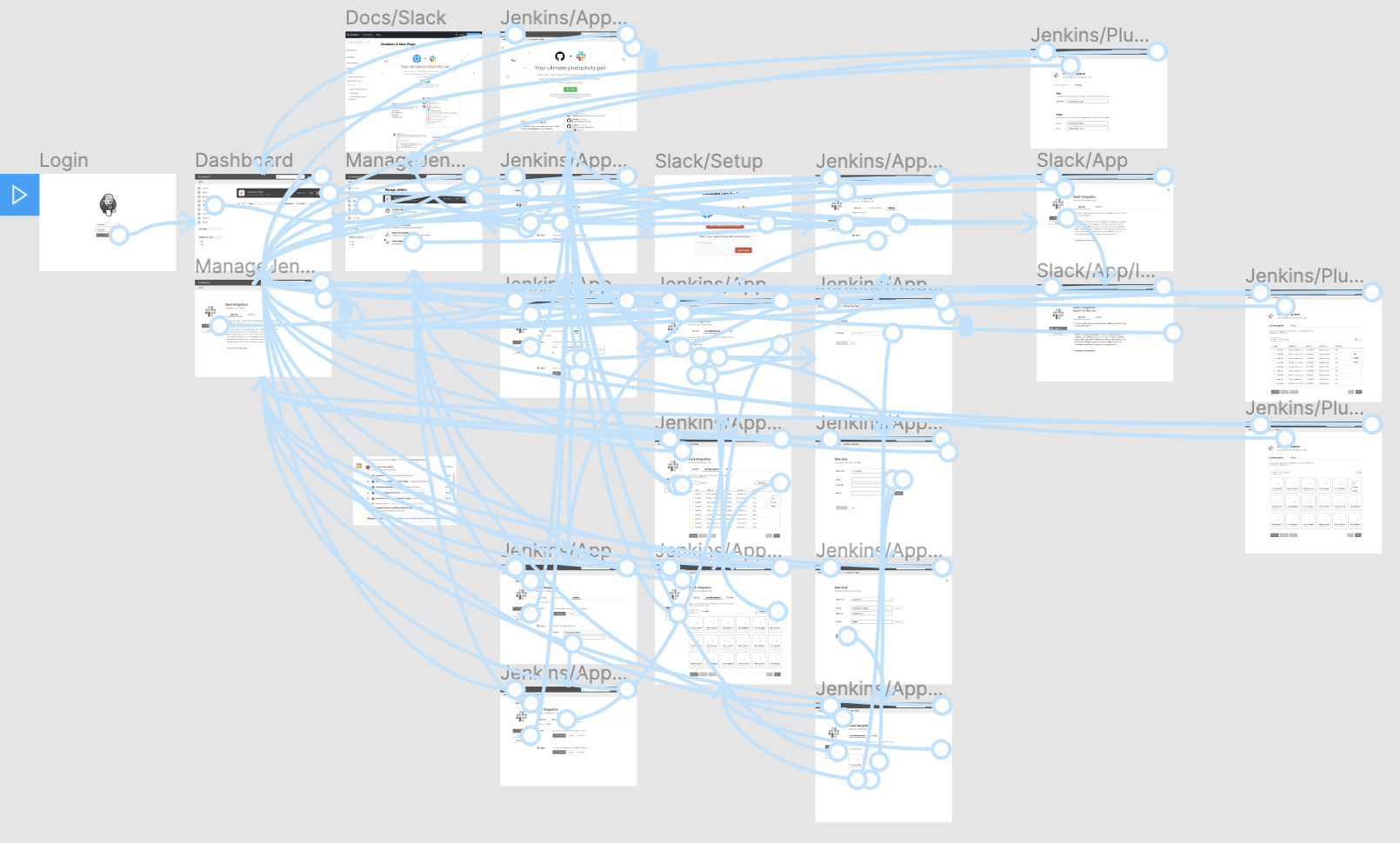
01 Interaction design
The integration touched three surfaces — Jenkins admin, the Slack App, and individual user settings — with multiple entry points and permission states. Mapping the full interaction before any UI work exposed the conditional complexity early and kept the surface count down.
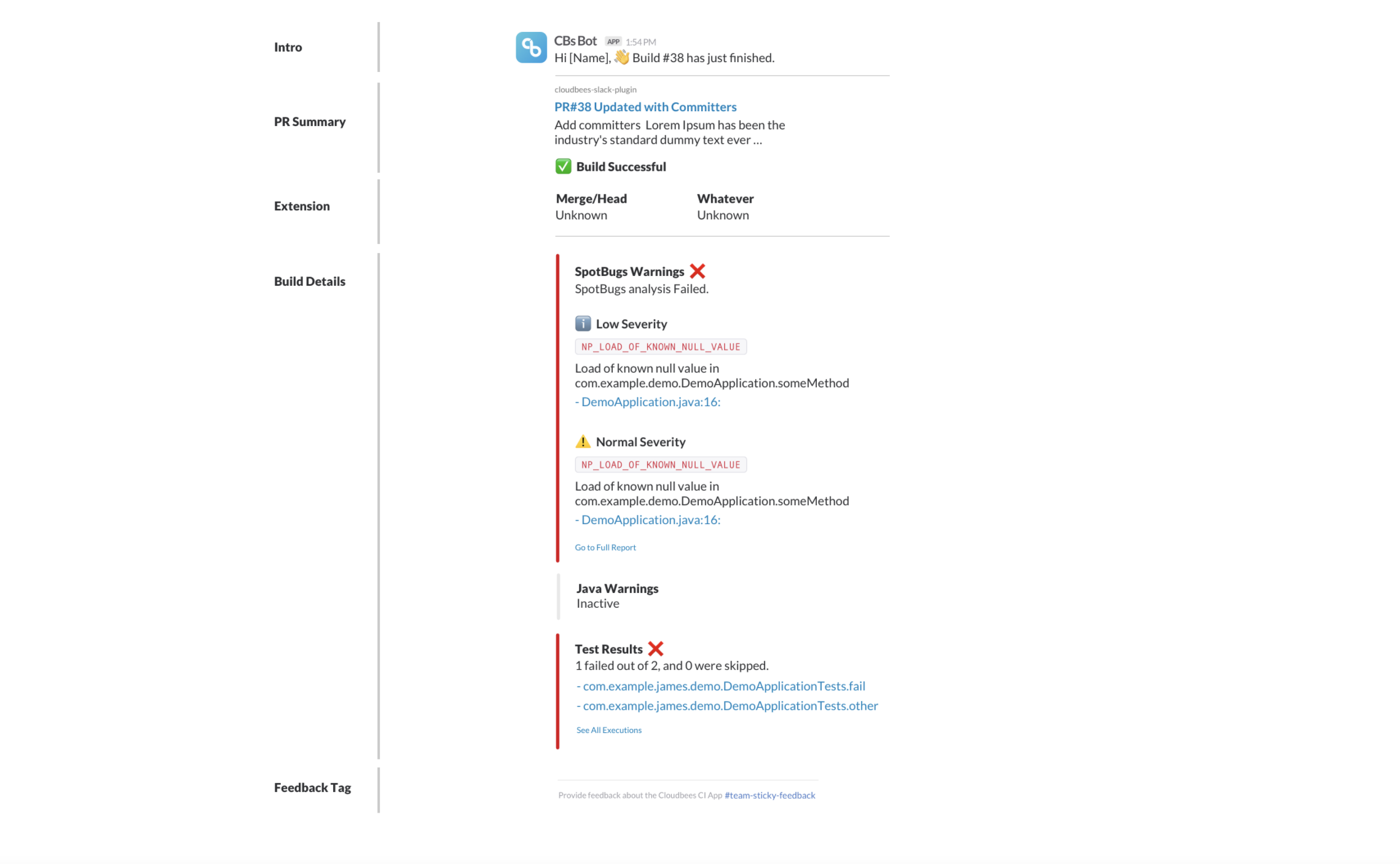
02 Notification message
The notification message was the primary interface for most developers — a CBs Bot post in their Slack channel for every build event. Designed the message hierarchy to surface pass/fail state, PR summary, and quality gate results (SpotBugs, test counts) in a single collapsed view with an expand path for full details.
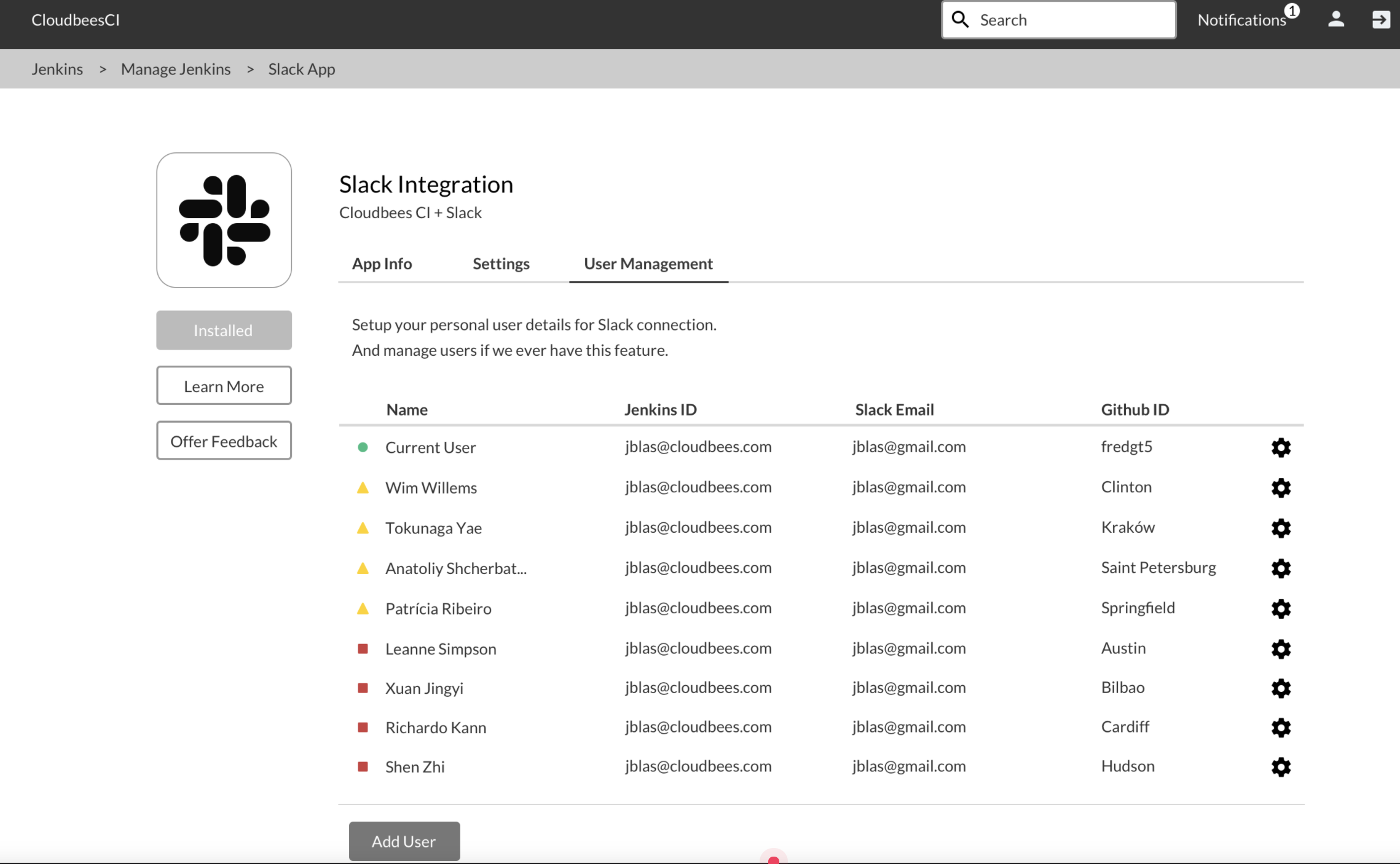
03 User management
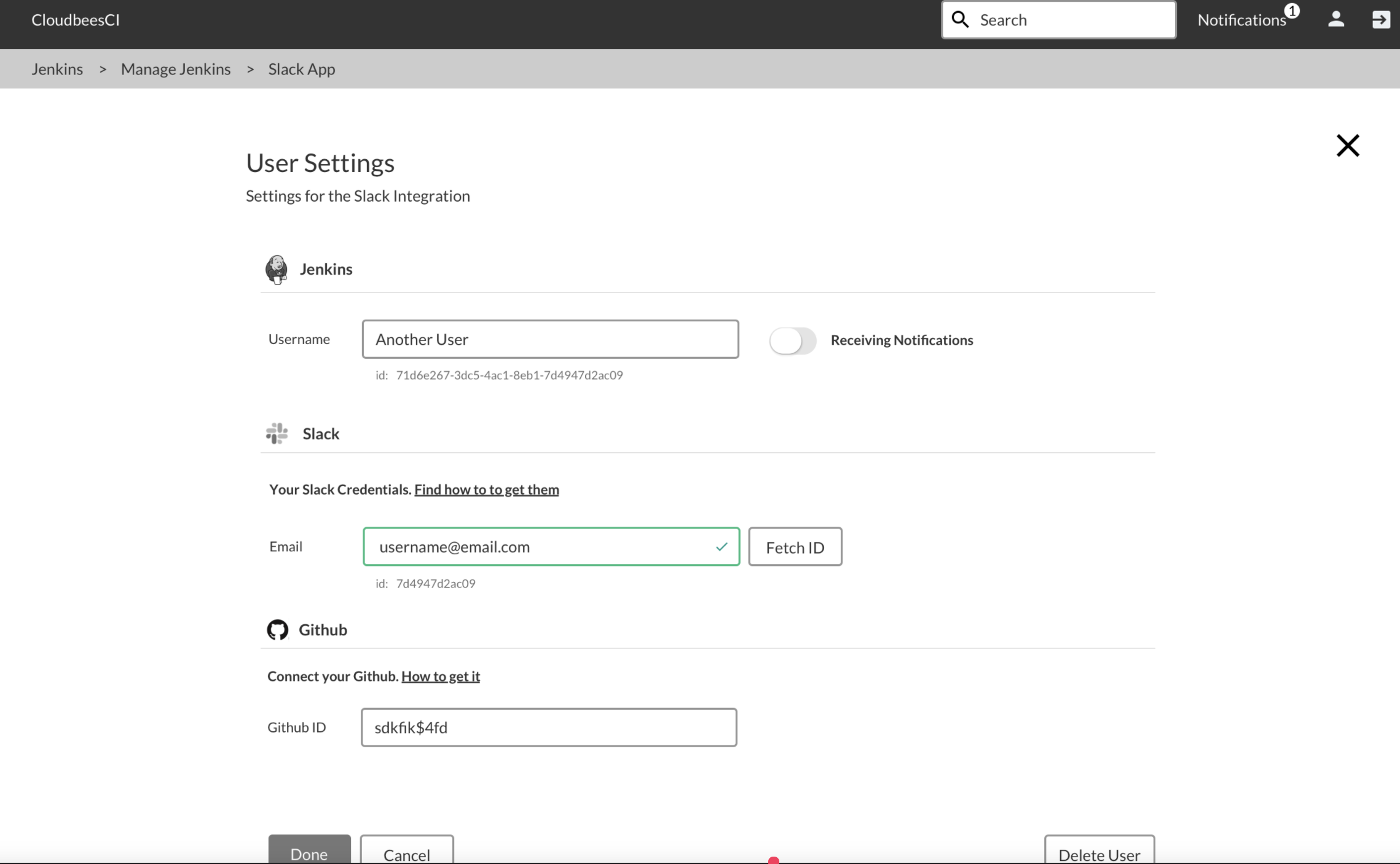
At organisations with hundreds of Jenkins users, identity mapping was a real admin problem — each developer needed their Jenkins account linked to a Slack email and GitHub ID to receive personal notifications and have their commits attributed correctly. Designed a table-based admin view for bulk management and a per-user settings modal for self-service linking.
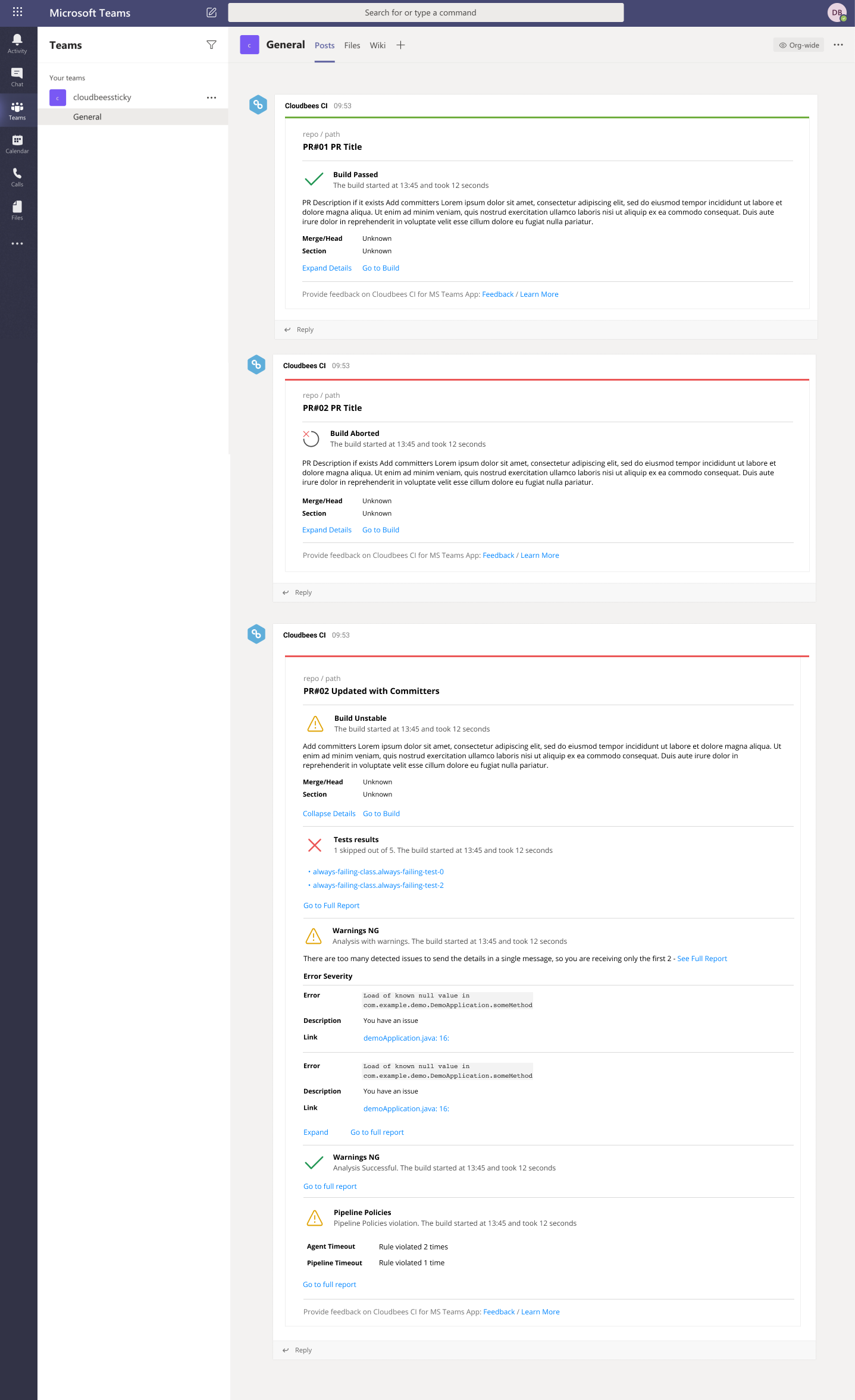
04 Microsoft Teams
The same notification system was built for Microsoft Teams — same information hierarchy, adapted to the Teams card format. The design work covered the notification message, expand/collapse behaviour, and feedback mechanism for users to rate the plugin from within the chat.